SynACX · features
What SynACX does, feature by feature.
Everything described here is in service in version 1.2.1, released on 22 November 2026. What is planned is marked as such. What the product does not do is written at the end of the page, plainly.
1 · Scope
Assisted scoping
The AI asks, you answer, the framing gets written. Nothing is generated until a person has approved it.
- From a description
- A name and a few lines. The AI asks its questions over one to ten pages, until it can write.
- From documents
- Specification, tender, workshop notes : the attached documents are read and lead every exchange. One or several projects are identified ; you correct them and tick the ones to create.
- The written scoping
- Users, measurable goals, scope, constraints, integrations, risks. Reviewed, corrected, then approved.
- The plan
- Releases, lanes run in parallel, dated work items, dependencies checked (no cycle possible), decisions due before a date, points of attention to confirm.
- Fitted to whoever scopes
- For someone new to it, the plan proposes smaller work items and more points of attention. For an experienced profile, it sticks to architecture, data and production risks.
- The cost announced before the call
- Every action that consumes AI shows its estimate before the click, and its real cost afterwards. An estimated cost is never presented as a cap.
2 · Generate
Project generation
One click on “Approve and generate”: the plan, the backlog and the repository are created together, consistent with each other.
- The backlog
- One list per project, in the space of your choice or in a space created under its name. One task per work item, with priority, dates and dependencies. The work items of an epic are the subtasks of its ticket.
- The repository
- A private repository with its two trunks, the framing document, one prompt per work item, the roadmap and the tracking client — a script with no dependency at all, which runs anywhere.
- The agent's instruction file
- Written when the project is created, with your documentation rules, your guard rails and the test baseline. It is never rewritten afterwards : the work items record their pitfalls in it.
- Project bootstrap
- A commit gate that refuses code without documentation, a reminder at the start of every session, and the rebuilding of the knowledge graph right after each commit.
- Replayable
- Every step records what it creates as it goes. A rerun resumes where it stopped : no duplicate list, task or repository.
- Safeguard
- SynACX never enters a space, list or repository of the same name that it did not create: generation stops and says what to do.
3 · Delegate
The development agent inside the platform
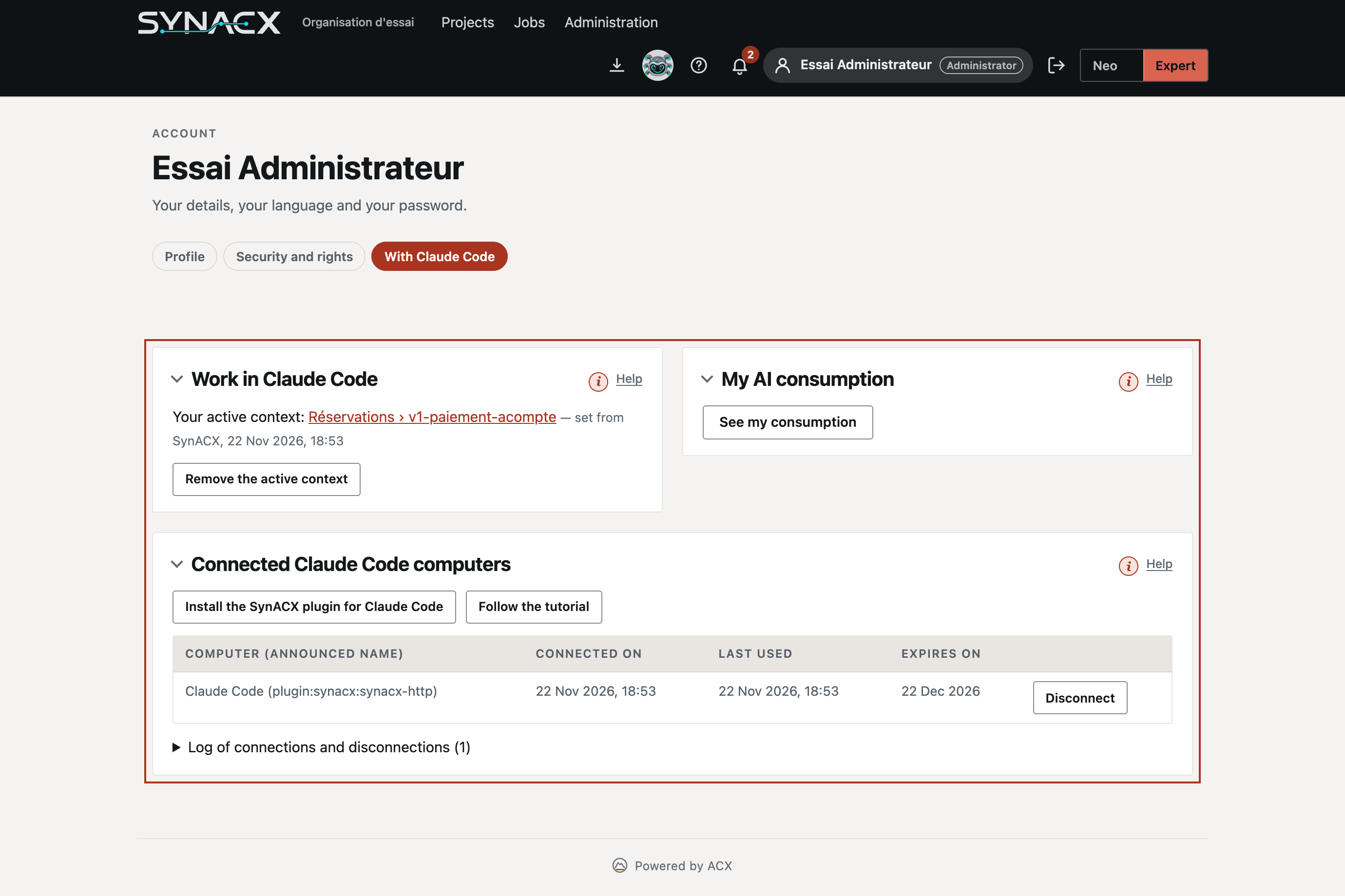
SynACX Connect: the agent — Claude Code or Codex — receives the context, acts with your permissions, and reports back the same way.
- Claude Code or Codex
- Each machine has its own development agent. Both receive the same instruction file and the same SynACX tools; a project keeps the agent chosen when it was created.
- The cockpit in the panel
- In Claude Code, the plugin's panel shows the current task, your day, the roadmap, the releases and your consumption. It reviews, one question at a time, what is waiting for your validation, and delivers or rejects a task after confirmation.
- Connecting the workstation
- OAuth 2.1, redirect to the local loopback only. Every workstation is written to the instance registry, authorised once, and revocable by the person as well as by the administrator.
- The agent's tools
- An MCP server exposes the platform's actions. One tool = one feature from the catalogue : the agent never has more rights than the person it acts for.
- Finding a task
- From Claude Code as well as from Nyx, a project's tasks can be searched by keyword, by plan Release and by epic, and these filters combine.
- Active context
- « Work in Claude Code » from a project or a work item : every new session receives the context, with no copy-paste.
- No side door
- An action taken by the agent goes through the same guards as on screen — work item requirement, four-eyes rule and proof of tests included.
- Journal
- An action coming from a workstation is signed in the log : the person, and the workstation that acted in their name.
- Always up to date
- The plugin notices when your instance serves a newer version of it, says so, and offers to update itself.
The page dedicated to SynACX Connect
4 · Ask
Nyx, the on-screen assistant
A question, asked where you are. Nyx answers from what you are allowed to see, and does nothing without your click.
- On every page
- A button opens Nyx next to the screen. It knows which object it is looking at — project, task, machine, scheduled job, release, administration screen — and reads its state through the same tools as the development agent.
- It proposes, you click
- When an action would help, Nyx offers it as a card, showing every value it will send. Nothing runs without your click, a card can be used only once, and the action goes through the same permissions as the screen: a reader receives no writing card.
- It sets things up with you
- Since version 1.2.1, Nyx also prepares the configuration of AI licences, releases and the fleet, one action per card. Each card shows the before and the after, and says whether the action can be undone; after your click, SynACX reads the object again and says “Verified” or names the difference.
- Every change can be undone
- What Nyx has configured is written to the configuration log and can be read on the screen concerned. For thirty days, “Undo this change” plays the reverse action under the same permissions, and refuses it if the object has changed since.
- A key never goes through the conversation
- A key is typed into a secure field of the panel and goes straight to the encrypted vault: neither the AI, nor the conversation, nor any log sees it. A key pasted into a question by mistake is not sent to the AI.
- Signed acts stay yours
- Sealing a release, setting a tag, countersigning an order, adding a machine: Nyx explains and gives the link, you take the action.
- Contexts
- Each object keeps its lessons: facts, pitfalls, decisions, preferences, procedures, deviations. They are dated, attributed, reviewed or retracted, and Nyx uses them to answer.
- What recurs is filed upwards
- A lesson noted on three neighbouring objects is offered to their parent; two lessons that contradict each other are flagged, so that a person can decide.
- A deviation becomes a ticket
- When Nyx finds that an action is missing or that a screen is wrong, it offers to add it to the backlog — through a card, like everything else.
- Metered like everything else
- Nyx uses the company's AI engine: its consumption is metered and capped like any other use, and shown at the foot of the panel. Keys and tokens are refused in a lesson and masked when read.
5 · Hand over
The Nyx project
One box, ticked at creation: the technical side of the project is handed to the AI. What commits you stays with you.
- What the AI decides
- The technical choices: tools, breakdown, order of the work. Each choice is recorded in the AI's log and explained in business language.
- What stays with you
- Approval of the framing, the go-live GO, and any decision that touches security, a critical test, personal data, an account or a key.
- Merged when it is proven
- The AI merges the work when the required tests are green on the exact commit; a suite without evidence counts as red. A merge by the AI is nobody's GO.
- Told at the right time
- A banner and an e-mail when a decision is waiting for you. On days when the AI has acted, a summary arrives at 5 p.m. in your time zone; on a day without action, nothing.
- Assistants for your actions
- Putting a key in the vault without ever giving it to the AI, granting an exemption, settling a choice about personal data: step by step.
- A spending cap
- Specific to the project. Once reached, it pauses the AI on that project and tells you; raising it puts the AI back to work.
- Back to classic steering
- At any time, after reviewing the list of decisions the AI has taken. The technical detail of its work can be read separately by those who want it; the main screen speaks business.
6 · Prove
Real progress tracking
Progress is not declared : it is measured on the repository and reported by the machines.
- The tracking client
- A script placed in every generated repository. It announces the start of a work item, reports commits, test and coverage results, and writes the reports. Standard library only : it runs on Linux, macOS and Windows.
- It survives an outage
- Server unreachable : the call is queued on the machine and replayed later, in order. Nothing is lost, nothing is duplicated.
- Backlog kept up to date
- Every start, every status change and every report updates the ticket : status on your tool's side, report as a comment.
- What is waiting for a person
- Approvals, go-live GOs, blockers and decisions due within seven days, gathered at the top of the project page.
- Escalation
- A blocked work item or an overdue decision escalates by itself to whoever has to decide.
- A project page organised by question
- Tasks read as project, epic, task; a task opens in a panel without leaving the list, and an action is taken there without reloading the page. Eight views: Overview, Epics and tasks, Calendar, Log, Lanes, Risks, Deadlines and milestones, Workload and availability. It also works by touch, on a phone.
- Validate one by one
- The validation assistant presents, one by one, the points of attention, decisions, GOs and tasks to unblock that are waiting for your answer.
- Finish by hand
- An acceptance, decision or manual task, with neither a commit nor test evidence, moves to “Done” with your reason — through the same safeguards as the GO.
- Defects
- A “Bug” collection per project: a defect is reported with its priority, and its status follows the one in your backlog tool. Since 1.2.1, it can be closed or reopened from SynACX, Claude Code or Nyx: SynACX sets the status in your tool and leaves a note there saying who did it.
7 · Group
Project programmes
Several projects moving forward together: a programme brings them together, and what waits for what from one project to another becomes visible.
- A programme
- Projects grouped at the top of the Projects tab, with their purpose, their administrators and their log.
- Dependencies between projects
- A task can wait for a task in another project of the programme. Until that one is done, the waiting task does not start, and its badge says why.
- The graph
- The programme can also be read as a graph: its projects, and the dependencies that link them.
- Overriding
- Starting despite a dependency remains possible: it is an exemption, reserved for the project administrator, and recorded in the log.
- Computed permissions
- Administering a programme gives administration of its projects, for as long as they belong to it. No access is copied: a project that leaves the programme goes back to its own permissions.
8 · Measure
Git, tests and code quality
Three tabs that answer a single question : does what is announced really exist in the code ?
- Git
- The graph of commits and branches, laid out by the server. The link between a commit and its work item is won and never lost. Diffs are read inside the page.
- Tests
- The measurements sent by the machines, by type and by platform. A platform that is declared but never proven blocks the delivery of the work item.
- Code quality
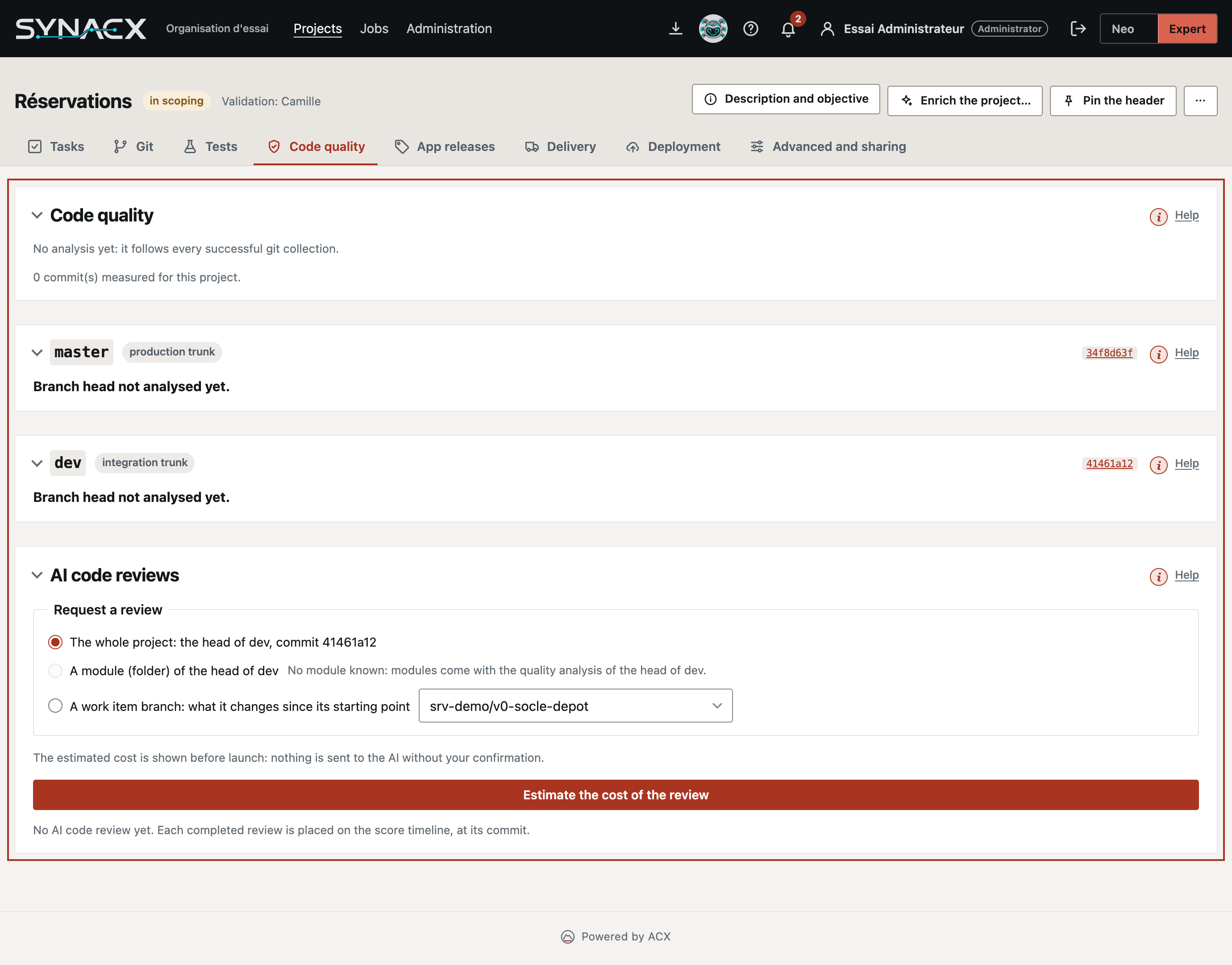
- A score out of 100 measured commit by commit : average complexity, over-long functions, duplication, style rules. The formula is written down, versioned, and a drop is reported together with what caused it.
- AI code review
- On demand, with its cost estimate before the click. A weakness you keep becomes an improvement work item, linked to its review, never created twice.
- The server executes nothing
- The repository is read in a bare mirror, read-only, hooks neutralised, with a timeout and a memory cap on every command. No project code ever runs on the platform.
9 · Package
Releases
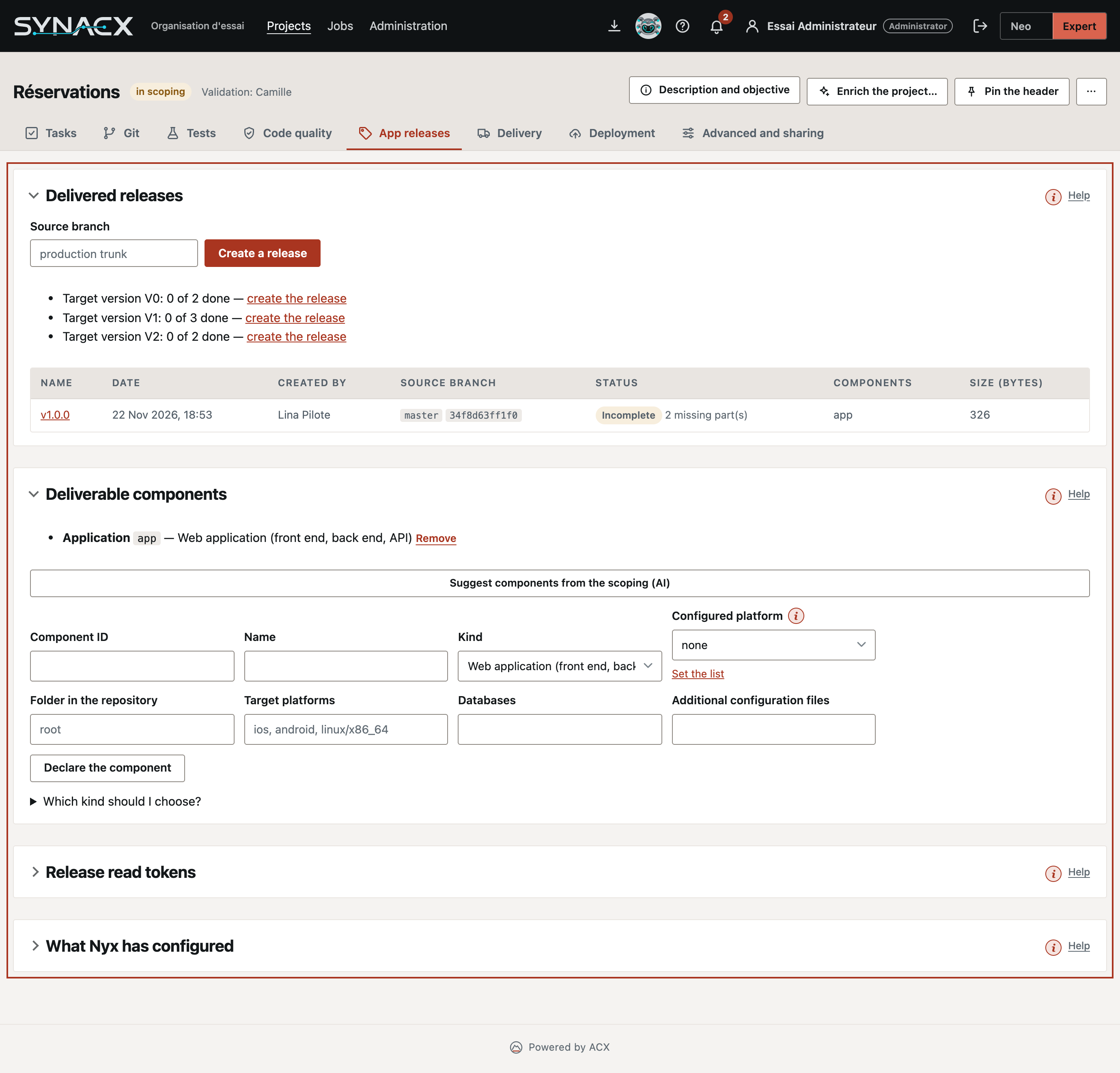
What ships is not « the latest commit » : it is a release that is described, complete and sealed.
- Shippable components
- Web application, mobile, tool, packaged software, infrastructure : each type expects its artefacts. A component whose configuration is missing stays incomplete, and says so.
- Required artefacts
- Release notes, data model, configuration : the release cannot be sealed while one is missing.
- Data model
- Declared schemas are read without being executed — the file is parsed, never imported — and become an artefact of the release.
- Release notes
- Drafted by the AI from the completed work items and the commits, reviewed by a person before sealing.
- Sealed
- A sealed release no longer changes : no route writes to it, even if a long job finishes afterwards. The repository tag is never moved or deleted.
- Read tokens
- A revocable token lets a machine fetch a release — without opening the rest of the platform.
- Version plan
- The release mode says when a version goes out — continuously, on a fixed date, or by your own rule; the numbering says which name SynACX proposes; the plan shows the target versions, with their date and theme.
10 · Deliver
Delivery
Your delivery process, written once, versioned, and applied by the platform.
- A versioned strategy
- Every change is written to a draft and only takes effect after « Approve the version ». An unset part triggers nothing : no implicit automation.
- Milestones and chain
- What counts as the end of a piece of work, what requires an attestation, what must be re-merged after a fix. Findings are made when the tab is opened, with no background process.
- Cumulative limits
- The company sets a frame, a client's context adds to it : the limits accumulate, they never replace one another.
- Merge queue
- The head of the queue is tested before the trunk advances, and only as far as the commit actually tested. A red measurement on the combined result stops the queue.
- Attestations and four eyes
- A milestone that touches production is never attested by the sole person who held the work item, and is countersigned. A mistake is corrected by a contrary attestation : nothing is erased.
- Several tasks at once
- The GO for several tasks in a single action, each through the safeguards of the GO, forms a delivery batch. A replayed action does nothing twice.
- Assistant
- The AI proposes a strategy based on what the project actually contains. Nothing is applied : the proposal lands in the draft, and the server re-checks everything.
11 · Go live
Deployment
Your cycle, your machines, your commands. SynACX computes the plan and keeps the evidence ; it never executes anything itself.
- A free cycle
- Two stages or ten, with the names you want. The product knows no list of stages : a stage is « production » by its declared nature, never by its name.
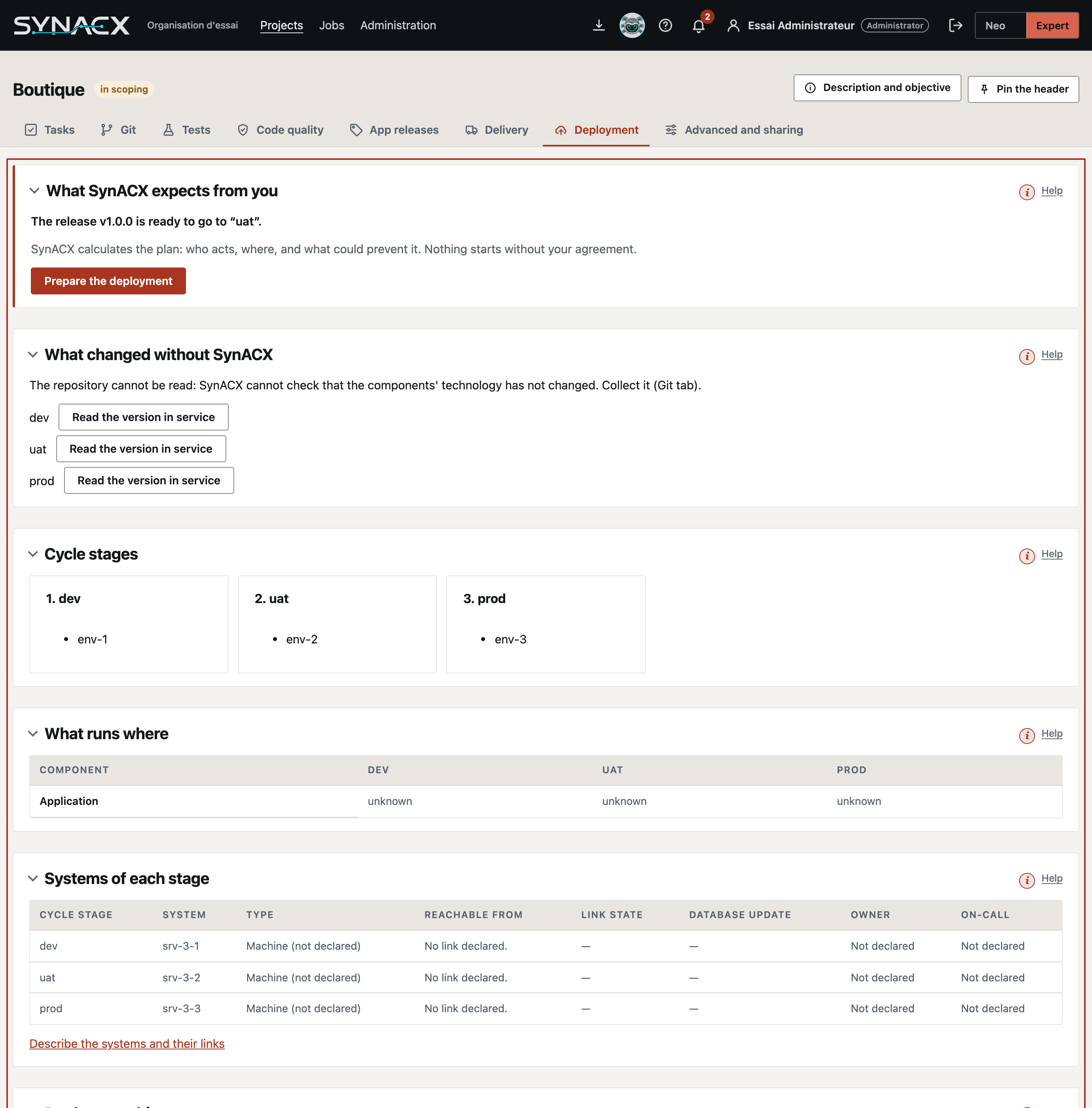
- The plan
- Who acts, where, in what order, what could prevent it and how to roll back. Computed before any action, and shown before being launched.
- Signed orders
- An automated stage becomes an order signed outside the web service, verified by the machine's receiver against its own list of keys. The list of possible operations is closed : there is no « execute » operation, and the relay that signs refuses any deployment order it cannot check again.
- Nothing plays twice
- A result received twice moves the deployment forward only once, a cancellation no longer goes through once a stage that changes a machine has started, and a rollback is recorded in full before it moves forward.
- Production : a human act
- A production stage is always carried out by a person, with their intervention sheet, and its evidence is signed. A production server only accepts a read-only inventory.
- Through a hub
- A go-live can go through a hub of the fleet, under a countersigned policy that the hub keeps itself. The approval names the exact step it authorises, and nothing else.
- What changed without you
- SynACX compares what is running with what it shipped, and names the gaps : a go-live done by hand becomes visible.
- Assisted classification
- The AI proposes the nature of the components and the deployment commands from the configuration files ; the server redoes every check, and a failed call falls back on the written rules and says so.
12 · Hold the estate
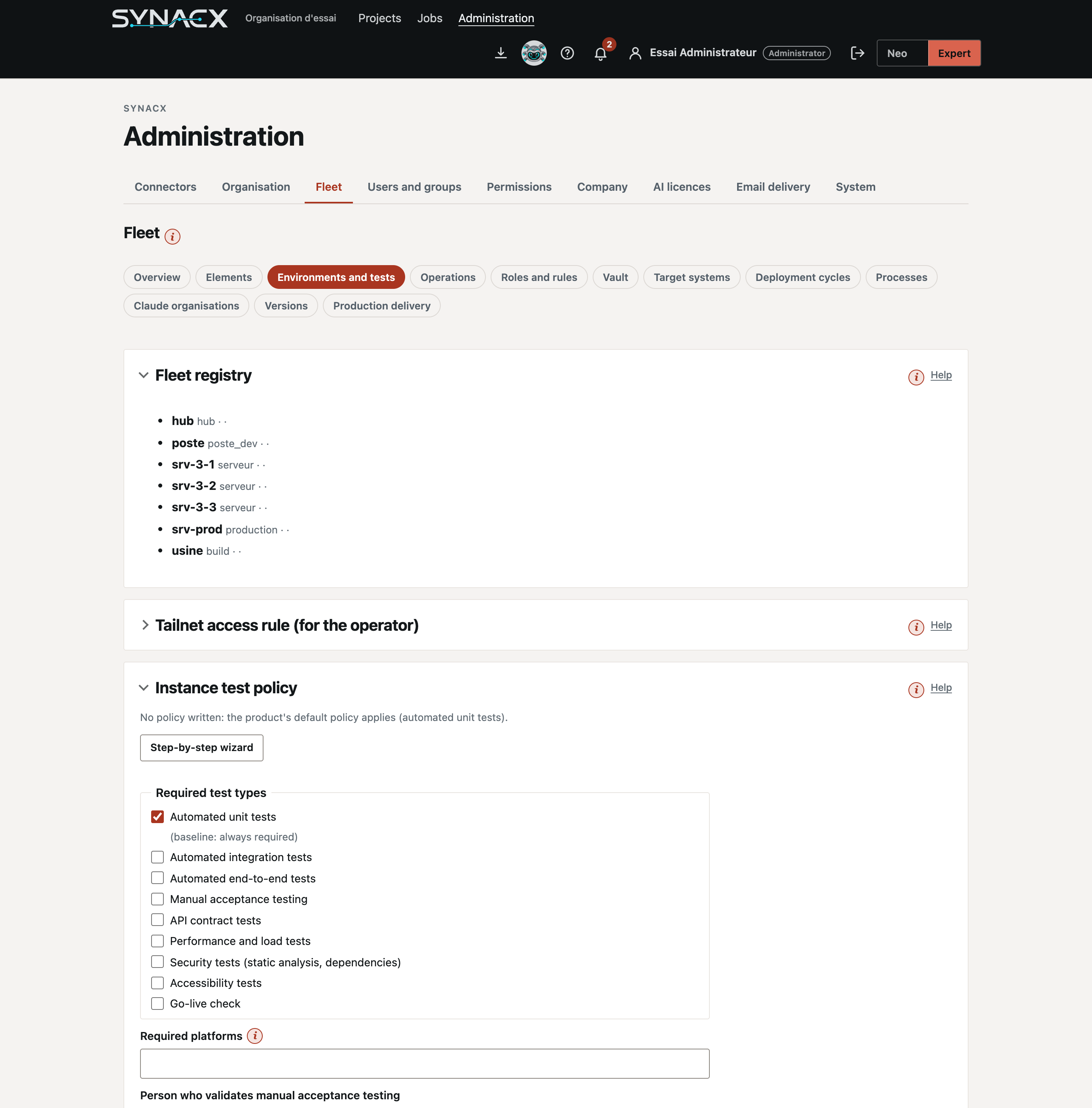
Fleet and environments
The machines that develop, that build and that serve : declared, connected, and under rule.
- The workshop
- The fleet is drawn on a canvas: you add a machine, draw an arrow for an access or for orders, assign a role with a right click. The drawing is a draft; applying the plan says what SynACX will do and who will have to say yes.
- Enrolling a machine
- Step by step: an installer to open on the machine, and its enrolment followed live in SynACX, with no code to paste.
- Machines that talk to each other
- A machine states which others it exchanges with, in which direction and for what. A file passes from one to the other through SynACX; a branch made on a machine is brought back into the project without anything being pushed.
- Agent sessions
- A task can be handed to a machine's agent: it works alone, in a fresh copy of the repository, under a dedicated account and for a bounded time. A batch of sessions is countersigned only once.
- Standby workstation
- The machine that takes over if a hub goes down, checked every week, with a recovery procedure drawn from the real fleet.
- Registry
- Workstations, build servers, production servers, with their role and their link mode. A light agent, with no dependency, connects a machine to the platform.
- The service never signs
- It prepares a canonical text ; the signature happens outside the web service, with a key the server does not hold. A sensitive order additionally requires a countersignature.
- Credential vault
- Connection details live in a vault that demands its master key : without it, it refuses — there is no fallback to a file.
- Environments
- Development, integration, acceptance, production : each with its machine, its role and its test policy. An environment's address never enters a prompt or a versioned file.
- Working access
- Opening access from one machine to another, for a bounded and countersigned period, then closing it again. The days remaining are read from the last opening actually performed.
- Compartmentalisation
- Who sees which fleet is data written by the administrator, never inferred from anything else.
13 · Equip
AI licences
The company's AI keys and subscriptions: stored, assigned, metered, and replaced in time. An option of the licence.
- An encrypted vault
- API and admin keys for Claude and Codex, personal subscriptions: entered once, encrypted, and never shown again.
- Assigned to machines
- A key is assigned to a machine of the fleet. It is handed only to the workstation linked to that machine, and can be cut off on one machine, or everywhere in an incident.
- Measured or estimated, never mixed
- The consumption of each key is read from the provider, read-only, or estimated per workstation, per person and per project. The two sources are never added together.
- Caps and alerts
- Per licence, person, workstation, project or task. A cap that is reached cuts off the key and says what it was based on; every alert is also sent by e-mail.
- Rotation and hand-over
- Rules rotate the keys with a notice the workstation sees coming. Subscription quotas can be read over the week, and a workstation moves from one subscription to another when its own runs out.
- The licence workshop
- The week of quotas, workstations moved from one licence to another by drag and drop, then a plan to approve that says how each action will be carried out.
- Team and Enterprise seats
- Who holds each seat, whether they use it, and reassignment proposals to carry out in the provider's console: SynACX does not act there.
- Readable from Claude Code
- The licence administrator reads the licences, their assignments, the latest quota reading and the hand-overs from Claude Code, or from Nyx on the licences screen: never a key or a token.
- Step by step
- In the guided interface, five questions in order: your licences, where each key is used, your workstations, the rotation, the budget. Each one says what is missing and offers the action on the same page.
14 · Automate
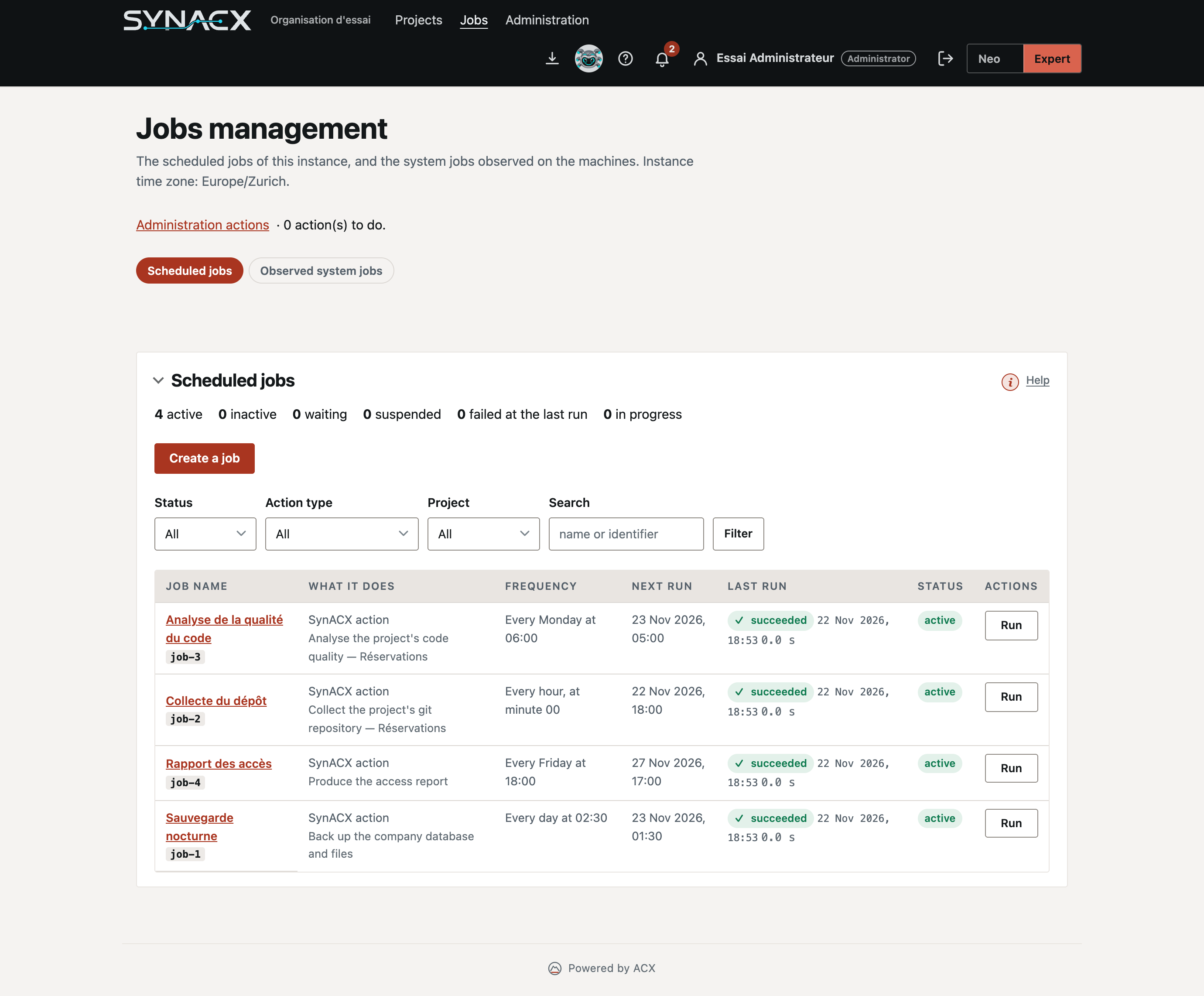
Scheduled jobs
The repeated tasks of operations, with their log, their permissions and their execution account.
- Three kinds
- A platform action, a command on a machine, or an executable from a release. Each with its frequency, its owner and its alerts.
- The service executes nothing
- Commands go through an isolated runner, under a dedicated system account, via a queue. Without a live runner the kind is unavailable — never executed some other way.
- Logs
- Every run keeps its log in a file, with restricted permissions, with sensitive values masked on both sides — on the machine, then on the server.
- Observed system jobs
- The scheduled tasks that already exist on your machines are collected and tracked, without being taken over : one that fails raises the alarm.
- A refusal is spoken
- An unavailable action shows why, instead of vanishing from the screen.
15 · Take over
Existing projects and enrichment
A project already under way enters SynACX without starting over and without duplicating your tickets.
- Importing an existing project
- A third way to create a project: the https address of a repository or its archive, the collection of its backlog and a description. SynACX reads without extracting or running anything.
- A proposal to review
- The AI proposes a plan that says what is already done. Each “already done” cites its evidence — a commit, a tag, a closed ticket — and anything that does not exist in the sources is set aside and named. You review it before creation.
- One ticket, one project
- A ticket already tracked by another project of the company is not taken over, and the original backlog is only read.
- Existing repository
- The repository is attached, read as a mirror, and receives the tracking client, the rules and the commit gate. The code itself is not touched.
- Existing backlog
- Work items are linked to tickets that are already open : SynACX follows their status and never rewrites their content.
- Enrichment
- The plan is completed along the way: new work items, dependencies, prompts regenerated with what upstream items have established. The AI proposes a difference, never a rewritten plan: a finished task is never touched.
- Transfer between instances
- A project exports and imports with its permissions and its releases, without calling either the backlog or the repository : no duplicates. What stays behind is named, table by table.
16 · Govern
Roles, permissions and levels
The role says what ; experience changes the way of writing, never the rights.
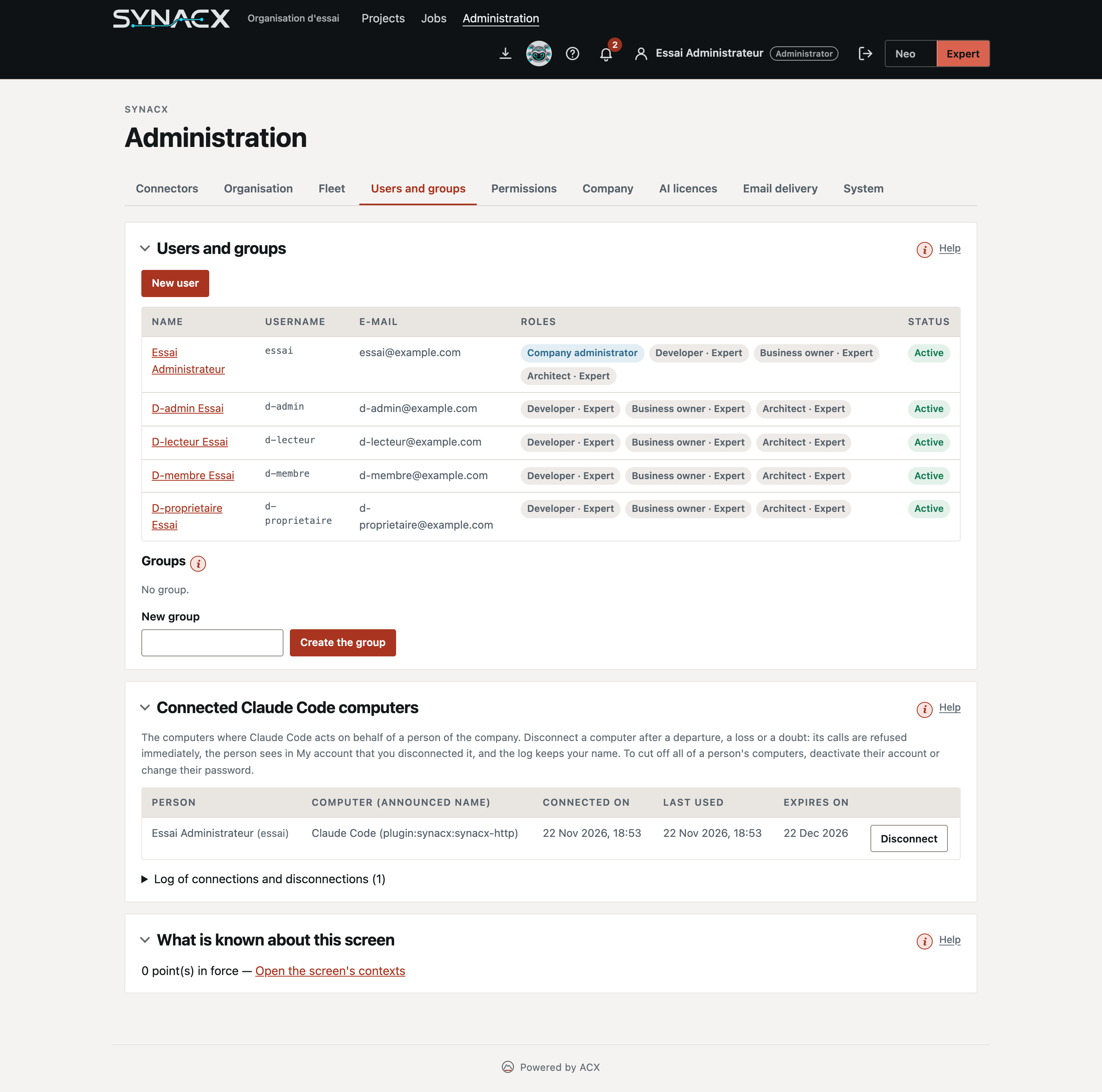
- Permission matrix
- One box per feature and per role/experience pair, editable, versioned, with the detail of what each change gives and takes away, account by account.
- Per-person rights
- Sensitive actions — countersign, seal, manage the fleet, reach system tasks — are granted person by person, on top of the role.
- Levels within the project
- Reader, Member, Administrator, and an owner. A project always keeps an administrator ; every access change is logged.
- A refusal explains
- A missing feature says why : the licence, the role, the level within the project, the personal grant or the state of the project.
- Two readings
- « Neo » folds the advanced settings away, « Expert » unfolds them. Both offer exactly the same actions : nothing is hidden, only tidied.
17 · Adapt
Your tools, not ours
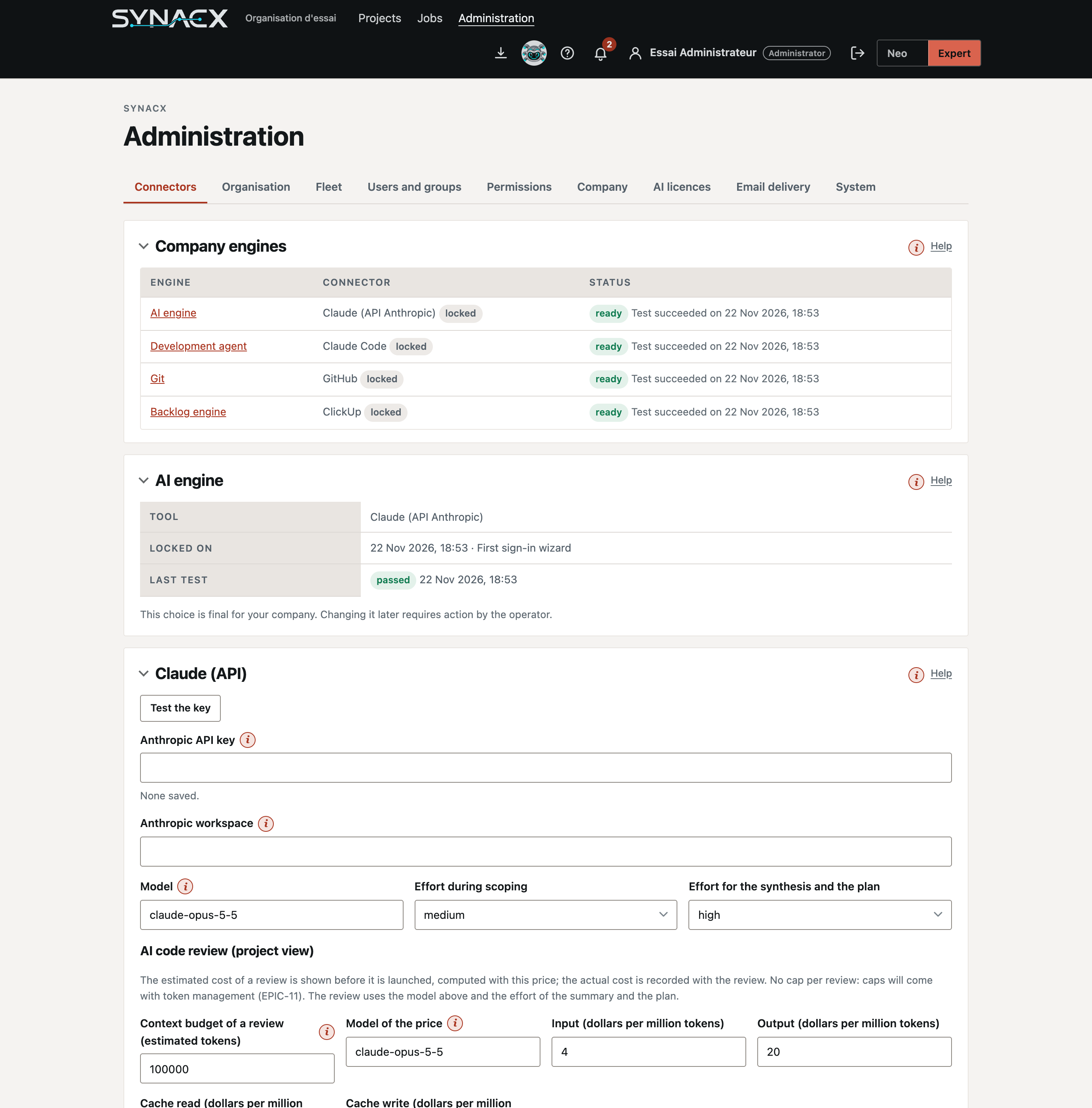
Three engines — AI, repository, backlog — and connectors. The product assumes no provider.
- AI engine
- Claude or Codex, through the supplied connectors; the rest of the product knows no provider. Your key, your workspace, your billing.
- Development agent
- Claude Code or Codex, chosen machine by machine.
- AI budget
- A cap stops an AI action before it goes out, not after; you know when the counter goes back to zero and who is told. An exemption gives a person a dated extra allowance, with its reason.
- Repository engine
- GitHub, or your company's own Git server. Each connector declares its capabilities : one that cannot create a repository says so, and the platform adapts instead of failing.
- Backlog engine
- ClickUp through the supplied connector, used as it stands : no custom field, no task type, no extension to enable on your side. The mapping of your statuses is set once.
- A final choice
- An engine is chosen once, then locked. Changing it is an operations task, not a box to untick : that is what keeps the history readable.
- Tested before being ready
- An engine is only « ready » after a successful test from the administration screen. A feature that depends on it stays unavailable, with its reason.
18 · Operate
Several companies, one instance
For a services company or a group : compartmentalised clients on a single installation.
- One database per company
- A company's data lives in its own database. A read performed out of context reads nothing : compartmentalisation does not depend on the calling code being careful.
- Operator console
- Create a company, load its licence, follow its usage : a closed list of actions, all logged in two steps. The console never reads a company's business data.
- Plans
- What a company has subscribed to governs the behaviour of the components : duration, caps, second factor, AI budget, supplied connectors. The values are data of your installation, not code.
- Licences
- Seven activatable modules, a cap on users and a cap on open projects. A slot is checked in the very write that takes it : no path goes around it.
- Backups
- One command backs up the console and every company, together with what lives outside the database: attachments, job logs, releases. Continuously, each write can also be sent within seconds to object storage; restoring is done on the host, into a copy.
- A failure stays where it is
- A company whose database fails the start-up check is set aside, on its own; the others carry on.
- Updates
- The administration screen reports a new version, with its notes. The update keeps all data: it adds tables and rewrites nothing, after a dry run on a copy. Every published version can be checked on this site: notes, checksums and signature.
- In-app help
- 199 pages in each of the three languages — French, English, German — at two reading levels. A new feature arrives with its help page, in the same commit as its code: a test verifies it.
19 · Protect
Security and operations
Protections are not options : they are set on the server, never from the screen they protect.
- On your premises
- Your server, your database, your secrets. A company's secrets are encrypted in the database ; without its key, the service refuses to start rather than work by halves.
- HTTPS only
- Secure cookie, strict transport, cleartext request redirected on reads and refused on writes. A proxy header is only believed from a declared local proxy.
- Sessions
- Absolute lifetime and idle lifetime, set by the service. A change that reduces what a session carries revokes it in the same write.
- Second factor
- Code by e-mail or authenticator app, backup codes, trusted device. Can be required by the plan ; no screen allows lifting it.
- An escape hatch on the server side
- A guard rail that locks you out has its unblocking command on the host — never a box in the interface.
- Nothing invented in the logs
- Tokens, keys and single-use links are masked everywhere : access logs, job logs, reports, suggested commands.
Straight talk
What SynACX does not do
Better read it here than discover it after signing.
- It does not write your code. The agent writes, on your machines. SynACX frames, breaks down, supplies the context, measures and governs.
- It runs neither your tests nor your deployments. It reads, it plans, it keeps the evidence ; execution happens on your machines, through signed orders or by a person.
- It does not replace your backlog tool. It works with yours, as it stands, without customising anything in it.
- It approves nothing on your behalf. No GO and no go-live happens without a person's act. In a Nyx project, the AI makes the technical choices and merges when the tests are green; the framing, the production GO and the sensitive decisions stay with the project's creator.
- It is not a shared online service. Outside the trial, every client has their own installation.
- The second factor by SMS and WhatsApp is planned, not shipped. E-mail and authenticator app are in service.
- Jira Cloud and Azure DevOps are planned for version 1.3, not delivered. ClickUp is today's supplied backlog connector.
